 File Browser
 File Browser
Display your cloud files via a File Browser. The file browser can have a grid thumbnail and list view and can have a file uploader.
Manage Your Documents Easily
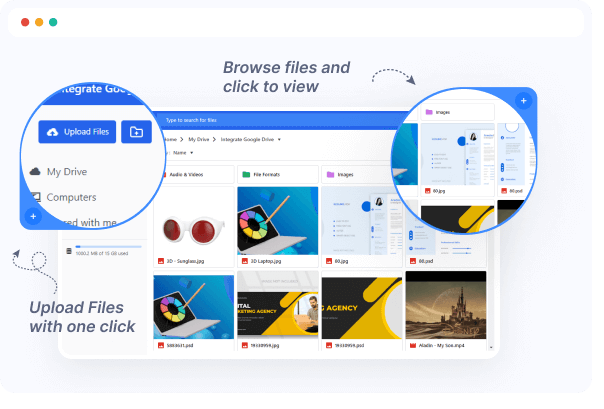
File Browser and manage your Documents easily via your favorite cloud platform. The File Browser will make sure that your files are automatically shown on your WordPress site.
Link Multiple Google Drive Accounts

You can add and manage multiple Google Drive cloud accounts from your site using this plugin.
Customize Using by Appearance

You can change its colors, and Background colors as needed, save them with the current style.
Use ACF field Files

Easily connect your ACF File fields with the Google Drive File Browser module to display files dynamically across your site. Whether you're using single or repeater fields, files linked via ACF are automatically rendered—no manual setup required.
Useful Interactions
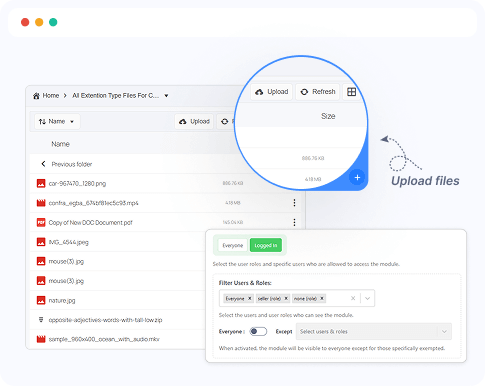
The File Browser module offers powerful Google Drive file management capabilities directly from the WordPress platform. Users can seamlessly interact with files—view, upload, download, or delete based on their permissions.
Ready to Integrate Google Drive into Your Website?
Best Google Drive cloud solution plugin for WordPress to integrate your Google Drive files directly into your WordPress Website.