
Have you ever wanted to show data from Google Sheets directly on your WordPress site? Maybe it’s a price list, a schedule, or some stats. Copying and pasting takes time, and the moment your sheet changes, your website is already out of date.
That’s where Google Sheets table builder plugins come in. These tools let you connect your spreadsheet to WordPress. When you update your sheet, your website table updates automatically too. No extra work needed.
In this post, you’ll discover the best plugins that make it easy to display Google Sheets on your site. They’re simple, useful, and perfect for beginners. Let’s find the right one for you!
Table of Contents
What is a Google Sheets Table Builder
A Google Sheets Table Builder is a tool or plugin that helps you show data from a Google Sheet as a table on your WordPress website.
Instead of copying and pasting the data manually, the plugin connects your website to your Google Sheet. This way, whenever you update the sheet, the table on your website updates automatically too.
It saves time, keeps your content fresh, and makes it easy to manage tables, even if you’re not a tech expert. Perfect for showing price lists, event schedules, product data, or any information that lives in a spreadsheet.
Why Use Google Sheets Table Builder Plugins in WordPress
Managing tables on your website can be time-consuming and frustrating. Manually updating data means extra work and room for mistakes. Luckily, Google Sheets table plugins make this process smooth and automatic.
- Save Time: No more copying and pasting data every time you update your table.
- Automatic Updates: Changes in your Google Sheet appear on your website instantly.
- Reduce Errors: Avoid mistakes that happen when manually updating tables.
- Better User Experience: Tables can be searchable, sortable, and easier to read.
- Professional Look: Plugins make your tables look clean and organized without extra effort.
With these advantages, managing your data becomes easier and faster. Your visitors get a better experience, and your site looks professional. It’s a small change that can save you a lot of effort.
What to Look for in a Google Sheets Table Plugin
When choosing a Google Sheets table plugin for WordPress, it’s important to consider features that match your specific needs and technical comfort level. Not all plugins offer the same capabilities, so keeping an eye out for the following key aspects can help you make the best decision:
- Real-Time Syncing: Automatically updates tables when your Google Sheet changes, keeping your site data always current.
- Customization Options: Allows you to style tables with fonts, colors, and layout options to match your site design.
- Ease of Use: Offers a user-friendly interface with simple setup, often using drag-and-drop or visual editors.
- Performance and Speed: Loads data efficiently, ensuring fast page speeds even with large or complex tables.
- Compatibility: Works well with your WordPress theme and other plugins, and supports both desktop and mobile views.
- Support and Updates: Regularly updated and comes with reliable support to prevent bugs and compatibility issues.
By keeping these factors in mind, you’ll be better equipped to pick a plugin that enhances your workflow and helps you get the most out of Google Sheets on your WordPress site.
Best Google Sheets Table Builder Plugins in WordPress
WordPress offers a range of plugins that make it easy to display and manage Google Sheets data directly on your website. These tools are perfect for anyone looking to sync live spreadsheet content without dealing with complex coding or manual updates.
Below, you’ll find the top Google Sheets table plugins for WordPress to help you choose the best one for your site.
1. Ninja Tables
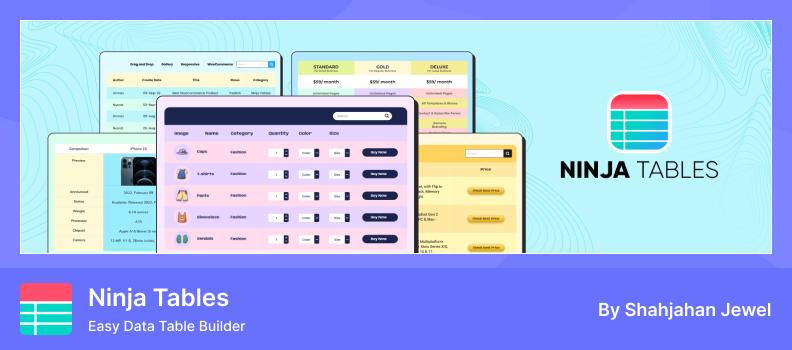
Embedding Google Sheets in WordPress with Ninja Tables is an easy and effective way to display live data without coding. You can connect a Google Sheet directly to your WordPress table, and any updates made in the sheet will automatically appear on your site. It’s perfect for beginners who want to showcase real-time data like pricing charts, schedules, or reports.
As a flexible Google Sheets Table Builder, Ninja Tables offers a simple, visual interface that makes building and managing tables quick and intuitive. You can customize layouts, colors, and styles to match your theme while adding sorting and filtering options for better usability. Whether for business data or educational content, this tool helps keep your information well-organized and professional-looking.
Key Features:
- Google Sheets Integration: Sync live data from Google Sheets directly to WordPress tables.
- Responsive Design: Tables automatically adjust to any device screen.
- Visual Table Builder: Create and edit tables visually without coding.
- Customizable Layouts: Adjust colors, borders, and styles to match your theme.
- Sorting & Filtering: Allow users to find data easily with built-in filters.
- Import/Export Options: Quickly move table data between websites or backups.
- Integration Support: Works well with popular plugins like Fluent Forms and WP Table Builder.
Pros:
- Easy for beginners with a drag-and-drop interface.
- Automatically updates when Google Sheet data changes.
- Clean, responsive design suitable for all devices.
- Supports advanced customization for professional use.
Cons:
- Some advanced styling options require the Pro version.
- Large Google Sheets may slightly slow loading time.
- Limited offline editing without re-syncing Google Sheets.
2. FlexTable
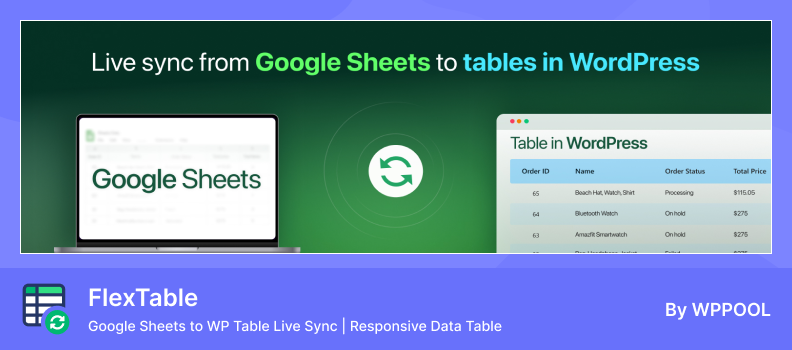
Sheets to WP Table Live Sync, also known as FlexTable, lets you easily embed Google Sheets into your WordPress website and keep the data automatically updated in real time. Once connected, any changes made in your Google Sheet are instantly reflected on your site—no manual updates or coding required. It’s ideal for beginners who want to display live data like pricing tables, schedules, or reports.
The plugin includes an intuitive interface and works with both shortcodes and Gutenberg blocks, making it simple to insert tables anywhere on your site. You can customize table styles, enable sorting and filtering, and even include images or links from your sheets. With built-in caching and a responsive design, it ensures smooth performance and a professional look across all devices.
Key Features:
- Google Sheets Integration: Sync live data from Google Sheets directly to WordPress tables.
- Responsive Design: Tables automatically adapt to any screen size.
- Gutenberg & Elementor Support: Add tables easily using blocks or widgets.
- Sorting, Filtering & Pagination: Improve usability with data management tools.
- Image & Link Support: Display images and clickable links directly from your sheet.
- Merge Cells: Combine multiple cells for better layout control.
- Caching & Async Loading: Boost speed when loading large datasets.
- Export Options (Pro): Export tables to CSV, Excel, or PDF formats.
Pros:
- Simple, no-code setup for beginners.
- Real-time syncing keeps website data always up to date.
- Mobile-friendly and lightweight design.
- Supports images, links, and cell merging for flexible layouts.
Cons:
- The free version includes limited features.
- Large Google Sheets can slow down performance.
- Advanced customization and export tools require the Pro version.
- Tables depend on Google Sheet availability; if inaccessible, syncing may fail.
3. TablePress

TablePress is one of the most popular WordPress plugins for creating and managing tables without any coding. It provides a simple, spreadsheet-style interface where you can easily add text, images, links, and even formulas. Once your table is ready, you can embed it anywhere on your site using blocks or shortcodes, making it perfect for beginners and professionals alike.
With TablePress, you can import or export tables in formats like Excel, CSV, or HTML, and enhance them with sorting, search, and pagination options. The plugin also supports styling options such as alternating row colors, header rows, and responsive layouts. For advanced users, premium features include fixed headers, responsiveness improvements, and more customization options.
Key Features:
- Spreadsheet-Style Editor: Manage and edit tables easily from the WordPress dashboard.
- Block & Shortcode Support: Embed tables anywhere on your site.
- Import & Export Options: Supports Excel, CSV, HTML, and JSON formats.
- Sorting, Filtering & Pagination: Add interactivity to large data tables.
- Images & Links Support: Insert media and clickable links into cells.
- Custom Styling: Apply colors, header rows, and highlights without code.
- Formula Support: Use basic calculations within table cells.
- Responsive Add-on (Pro): Make large tables fit perfectly on mobile devices.
Pros:
- Beginner-friendly interface with no coding required.
- Free version includes powerful core features.
- Supports importing data from multiple formats.
- Highly reliable with strong community support.
Cons:
- Responsive design options require the Pro version.
- Styling customization may need CSS knowledge.
- It can slow down with very large datasets.
- Some advanced features are only available as premium extensions.
4. wpDataTables

wpDataTables is a beginner-friendly WordPress plugin that allows you to create interactive tables directly from Google Sheets. By linking your spreadsheet, any updates in Google Sheets are automatically reflected on your website, making it perfect for live reports, pricing tables, schedules, or product lists.
As a powerful Google Sheets Table Builder, the plugin provides a visual table builder with sorting, filtering, and responsive design, ensuring your tables look professional on all devices. You can embed tables easily using blocks or shortcodes, and advanced features like front-end editing and conditional formatting are available in the Pro version.
Key Features:
- Google Sheets Integration: Sync live data from Google Sheets directly to tables.
- Interactive Tables: Sorting, filtering, and pagination for better usability.
- Chart Integration: Display data visually using charts.
- Responsive Design: Tables adapt automatically to any screen size.
- Front-End Editing: Users can edit table data directly on the site.
- Conditional Formatting: Highlight cells based on rules.
- WooCommerce Integration: Display product tables with “Add to Cart” buttons.
- ACF Integration: Pull custom fields into your tables.
Pros:
- User-friendly interface suitable for beginners.
- Real-time syncing keeps tables up to date.
- Mobile-friendly and responsive design.
- Supports charts, filtering, and front-end editing.
Cons:
- Advanced features require the Pro version.
- Can be resource-intensive with large datasets.
- Some users report a learning curve for complex functionalities.
- Limited styling options in the free version.
5. WPGSI
WPGSI (Spreadsheet Integration) is a Google Sheets Table Builder plugin for WordPress that allows you to sync and display live data from Google Sheets. It helps you turn your spreadsheets into dynamic tables that can be searched, sorted, and displayed anywhere on your site without coding.
The plugin supports automatic syncing, ensuring your WordPress tables always stay updated with the latest data from Google Sheets. You can also use it for two-way syncing, dropdown filters, and event-based triggers to make your data interactive and automated.
Key Features:
- Google Sheets Sync: Display live data from Google Sheets.
- Search & Sort: Make tables interactive and easy to browse.
- Auto-Sync: Updates reflect automatically from Sheets.
- Secure Auth: Uses a Google service account for connection.
- Multiple Integrations: Works with various WordPress plugins.
- Easy Display: Embed tables in posts or pages.
- Dropdown Filters: Add filters for better navigation.
- Event Triggers: Sync based on actions like new posts or users.
Pros:
- Build tables directly from Google Sheets data.
- Secure and reliable syncing process.
- Great for real-time, dynamic data display.
- Integrates with other WordPress plugins easily.
Cons:
- Some features require the Pro version.
- Styling options are limited without CSS.
- Large sheets can affect performance.
- Requires proper Google Sheet sharing setup.
Conclusion
Choosing the right Google Sheets table builder plugin can save you time and make managing content on your WordPress site much easier. These tools help you connect live spreadsheet data directly to your pages or posts without the need for constant manual updates.
Each of the six plugins we covered offers unique features, whether it’s real-time syncing, customization options, or ease of use, so there’s something for every kind of user. Whether you’re running a blog, business site, or online store, using these plugins can improve how you display data and engage your audience.
In the end, the best plugin depends on your specific needs, but all of these options make it simple to bring the power of Google Sheets into WordPress. Try a few and see which works best for your workflow.
FAQs & Answers
Is it easy for beginners to use?
Yes. Most plugins have a simple setup — just connect your Google account, add the sheet ID, and use a shortcode or block to show the table.
Are there free plugins available?
Many Google Sheets table builder plugins offer free versions for basic use. Premium versions add more styling, automation, and performance features.
Is it safe to connect Google Sheets with WordPress?
Yes, it’s safe if you use trusted plugins. They connect through Google’s official API and only access your sheet data as needed.
How can I update the table when my sheet changes?
Most plugins sync data automatically after a set time or when you refresh manually. This ensures your website always shows the latest information.
Can I hide or show specific columns?
Most plugins allow you to select which columns to display or hide. This helps you control what information appears on your website.
Can it handle large Google Sheets data?
Some plugins can display thousands of rows using pagination and caching. If you work with large sheets, choose one known for speed and performance.