
Creating clean, responsive tables in WordPress can be tricky without the right plugin. Whether you’re building pricing charts, product comparisons, or data tables, table builder plugins can save time and improve presentation, with no coding required.
With so many plugins available, it’s important to choose one that fits your needs. Some focus on simplicity, while others offer advanced features like filtering, sorting, and external data integration.
In this roundup, we’ve selected the best table builder plugins for WordPress based on usability, features, and design flexibility. No matter your site type, there’s a tool here to help you build better tables fast.
Table of Contents
What is a Table Builder Plugin in WordPress
A table builder plugin in WordPress is a tool that allows you to create and display tables on your website without coding. It helps organize data, pricing, comparisons, or product lists in a clean and readable format.
These plugins often include drag-and-drop editors, Google Sheets integration, and customizable designs. They make it easy to build responsive and interactive tables that look professional on both desktop and mobile devices.
Benefits of Using a Table Builder Plugin in WordPress
Using a table builder plugin in WordPress helps you create and manage tables easily without writing any code. It’s a quick way to organize and display data clearly on your website, improving both presentation and user experience. Here are some of the key benefits:
- Easy table creation: Build responsive tables using a simple drag-and-drop interface.
- No coding required: Create tables visually without HTML or CSS knowledge.
- Responsive design: Tables adjust automatically to fit any screen size or device.
- Data organization: Present information, pricing, or comparisons in a clean layout.
- Google Sheets integration: Sync data directly from Google Sheets for real-time updates.
- Sorting and filtering: Allow users to search, filter, or sort data instantly.
- Custom styling: Match your table design with your website’s look and feel.
- Time-saving: Update data once and see changes reflected automatically on your site.
A table builder plugin makes it simple to display data in a clear, organized way. It saves time, improves design, and enhances your website’s readability.
Best Table Builder Plugins for WordPress
To help you find the perfect fit for your site, we’ve reviewed some of the best table builder plugins for WordPress. Each one offers unique features, ease of use, and customization options. Whether you need simple data tables or advanced interactive ones, there’s something here for every level of user. Let’s take a closer look at the top picks.
1. Ninja Tables
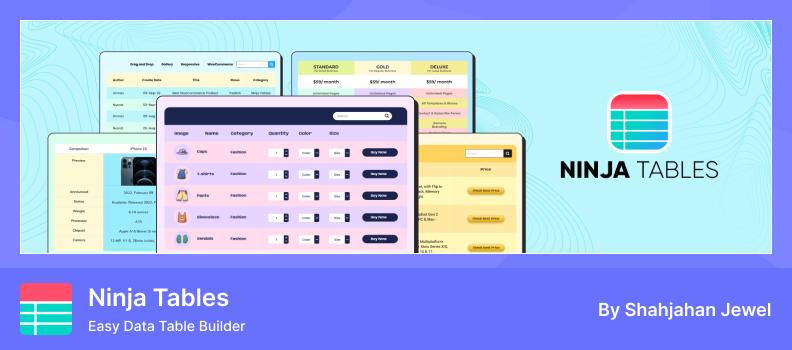
Ninja Tables is a powerful table builder plugin for WordPress that lets you create and customize tables without any coding. It’s designed for beginners who want to organize and display data in a clean, responsive, and professional format. With its drag-and-drop builder and pre-made templates, you can quickly create product lists, comparison charts, pricing tables, or data reports.
This plugin ensures your tables look great on all devices with responsive design options. It also supports features like conditional formatting, WooCommerce and Fluent Forms integration, and even Google Sheets syncing in the Pro version. Whether for business, education, or eCommerce, Ninja Tables makes managing and displaying data effortless.
Key Features:
- Google Sheets Integration (Pro): Syncs live data from Google Sheets into your tables.
- Drag & Drop Builder: Easily arrange columns and cells with drag-and-drop.
- Pre-made Templates: Choose from ready-made table designs.
- Responsive Display: Tables adapt to mobile and tablet screens.
- Import & Export: Use CSV or JSON to move table data.
- Conditional Formatting: Apply formats and rules for visual clarity.
- WooCommerce & Fluent Forms Integration: Display product tables or form entries.
- Custom Styling: Adjust colors, fonts, and layouts with ease.
Pros:
- Beginner-friendly interface with no coding required.
- Responsive and mobile-friendly design.
- Supports Google Sheets and WooCommerce integrations.
- Offers flexible customization options.
Cons:
- Advanced features like Google Sheets sync need the Pro version.
- Large tables may slow down performance.
- Some advanced formatting requires paid upgrades.
- Custom styling might need basic CSS knowledge.
2. wpDataTables

wpDataTables is a powerful table builder plugin that helps you create responsive and dynamic tables in WordPress without coding. It features a simple, spreadsheet-like editor where you can add, edit, and style data easily. Perfect for beginners and professionals, it lets you design tables that fit any layout or theme.
As one of the most versatile Table Builder Plugins available, wpDataTables allows you to display data from various sources like Google Sheets, Excel, or databases. With built-in sorting, filtering, and responsive design, it makes it easy to manage and present large datasets beautifully on any device.
Key Features:
- Drag & Drop Builder: Build and customize tables easily.
- Spreadsheet Editing: Edit data directly like Excel.
- Responsive Layouts: Tables fit perfectly on all screens.
- Styling Options: Customize colors, fonts, and borders.
- Multiple Data Sources: Connect Google Sheets, CSV, Excel, or MySQL.
- Sorting & Filtering: Let users search and organize data easily.
- Front-End Editing: Allow users to edit tables on the site.
- Page Builder Support: Works with Gutenberg, Elementor, and Divi.
Pros:
- Beginner-friendly and powerful table builder.
- Works with many data sources.
- Fully responsive design.
- Offers rich styling and editing options.
Cons:
- Some features need the Pro version.
- Large tables may reduce performance.
- Learning curve for complex setups.
- Limited styling in the free version.
3. TablePress

TablePress is a WordPress plugin that lets you build and manage tables using a spreadsheet-style interface, without any coding. You can create tables of any size, fill them with text, numbers, images, links, or even math formulas, and organize content with ease.
It supports interactive features like sorting, pagination, filtering/search, and responsive design so tables display nicely on desktops and mobile devices. You can embed tables anywhere—posts, pages, widgets—using shortcodes or blocks. The free version covers a lot, and there are premium upgrades for more advanced control.
Key Features:
- Spreadsheet-Style Editor: Create and edit tables in a familiar grid format.
- Embed Anywhere: Use blocks, shortcodes, or widgets to display tables.
- Import/Export Support: Work with Excel, CSV, HTML, and JSON formats.
- Interactive Table Features: Sorting, filtering/search, and pagination.
- Custom Content Types: Insert images, links, even formulas into cells.
- Styling Controls: Alternating row colors, header/foot rows, custom CSS.
- Responsive Behavior: Tables adjust to different screen sizes and support horizontal scrolling.
- Accessibility & Usability: Features like assistive-tech support, keyboard navigation, and clear labeling.
Pros:
- Very beginner-friendly; minimal to no coding needed.
- Strong import/export options to manage table data flexibly.
- Good interactive capabilities make tables more engaging.
- Reliable plugin with a large user base and frequent updates.
Cons:
- Performance may slow down with very large tables.
- Advanced responsive modules and features are only in premium versions.
- Custom styling often requires knowledge of CSS.
- Some premium modules and custom functionalities cost extra.
4. WP Table Builder
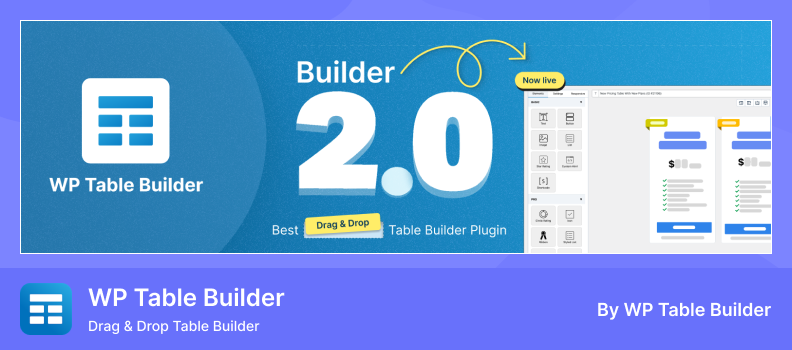
WP Table Builder is one of the most popular Table Builder Plugins for WordPress, designed to help you create responsive and visually appealing tables without coding. Using its drag-and-drop interface, you can easily add text, images, buttons, and star ratings to build tables like pricing charts, product comparisons, or feature lists in minutes.
As a modern WordPress table builder plugin, it offers full control over rows, columns, and cell layouts with pre-built templates and a responsive design. Whether you’re a beginner or an experienced user, WP Table Builder makes creating professional tables fast, flexible, and completely user-friendly.
Key Features:
- Drag & Drop Builder: Build tables visually with ease.
- Multiple Elements: Add text, images, buttons, and star ratings.
- Cell Management: Merge, split, add, or remove cells easily.
- Responsive Design: Tables fit all screen sizes.
- Pre-Built Templates: Ready-made layouts for quick setup.
- Import/Export: Move tables via CSV or XML.
- Gutenberg Block: Add tables directly in the block editor.
- Custom Styling: Adjust colors, fonts, and layouts.
Pros:
- Very easy to use and beginner-friendly.
- Visual design with drag-and-drop builder.
- Responsive tables for mobile and tablet.
- Rich elements like buttons and ratings.
Cons:
- Advanced features require the Pro version.
- Large tables may slow down loading.
- Some styling needs CSS for fine-tuning.
- Limited free templates.
5. Data Tables Generator
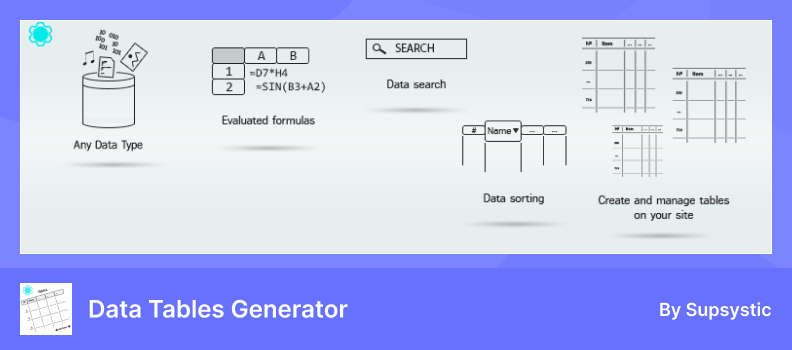
Data Tables Generator by Supsystic is a versatile Table Builder Plugin for WordPress, designed to help you create responsive and interactive tables without any coding. You can build tables for product listings, pricing comparisons, or data reports using its intuitive drag-and-drop editor. The plugin offers various customization options, including styling, sorting, and filtering, to enhance the user experience.
It also supports importing data from CSV files, making it easier to manage large datasets. Whether you’re displaying simple information or complex data, this plugin provides the tools to present your content effectively and attractively.
Key Features:
- Drag-and-Drop Editor: Build and customize tables visually.
- Responsive Design: Tables adapt to different screen sizes.
- Sorting & Filtering: Enhance user interaction with sortable and searchable tables.
- CSV Import: Easily import data from CSV files.
- Custom Styling: Adjust colors, fonts, and layouts to match your site’s design.
- Pagination: Break large tables into manageable pages.
- Export Options: Export tables to CSV or Excel formats.
- SEO-Friendly: Tables are optimized for search engines.
Pros:
- User-friendly interface suitable for beginners.
- Offers a variety of customization options.
- Supports importing data from CSV files.
- Provides SEO-friendly table structures.
Cons:
- Some advanced features require the Pro version.
- Large tables may impact site performance.
- Limited styling options in the free version.
- May require additional plugins for full functionality.
6. Product Table
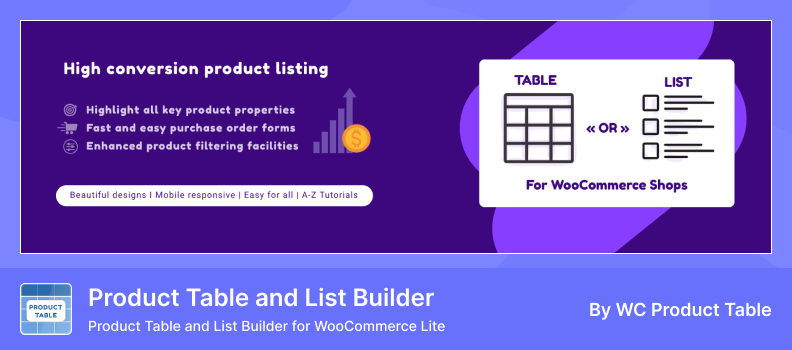
WC Product Table Lite is a WooCommerce Table Builder Plugin that helps you display your store products in a clean and organized table layout instead of the traditional grid view. It’s perfect for online shops with many items, allowing customers to view prices, images, SKUs, and variations all in one place. The simple interface makes it easy to build and customize tables without coding.
This plugin focuses on WooCommerce functionality only; it doesn’t connect to Google Sheets or any WordPress table builder features. It ensures your product tables look great on all devices, offering responsive design, sorting, and search tools for better product browsing and shopping experiences.
Key Features:
- WooCommerce Product Tables: Create tables to list store products.
- Responsive Design: Tables adapt to all screen sizes.
- Column Control: Choose which product details to display.
- Search & Sort: Make it easy for users to find products.
- Variation Support: Customers can select variations from the table.
- Custom Styling: Adjust layout and design easily.
- Shortcode Support: Embed tables anywhere on your site.
- Lightweight Plugin: Fast and easy to configure.
Pros:
- Ideal for WooCommerce product listing and comparison.
- Improves user experience with an organized product display.
- Fully responsive and mobile-friendly.
- Simple setup without coding knowledge.
Cons:
- Focused only on WooCommerce; no Google Sheets integration.
- Limited advanced features in the free version.
- Styling customization may require CSS.
- Very large product catalogs may affect performance.
How to Choose the Right Plugin
With so many table builder plugins out there, it can feel overwhelming to pick the right one. But don’t worry — here are a few simple things to keep in mind that’ll help you make the best choice for your website:
- Ease of Use: If you’re new to WordPress or want something simple, pick a plugin with a user-friendly interface. Drag-and-drop builders or visual editors make creating tables easy without any coding.
- Features You Need: If you want specific functions like sorting, filtering, or mobile-friendly tables, choose a plugin that offers those features out of the box.
- Design and Customization: If you care about how your tables look, pick a plugin that lets you easily change colors, fonts, and styles to match your website.
- Performance: If site speed matters, go for a lightweight plugin that won’t slow down your pages or cause extra loading time.
- Support and Updates: If you want help when needed, pick a plugin that is regularly updated and offers good customer support or detailed guides.
- Free vs Paid: If you’re on a budget, start with a free plugin, but be ready to upgrade to a paid version if you need more advanced features.
Conclusion
Choosing the right table builder plugin for your WordPress site doesn’t have to be hard. By thinking about how easy it is to use, the features you need, and how the tables will look, you can find a plugin that fits your needs perfectly.
Remember to pick a plugin that won’t slow down your site and offers good support if you need help. Starting with a free version is a great way to try things out without any risk.
With the right plugin, creating beautiful and functional tables will be simple and stress-free. You’ll be able to share your data clearly and make your website look professional in no time!
FAQs & Answers
Are table builder plugins free to use?
Most plugins have free versions with core features. Paid plans usually include advanced styling, import/export options, and priority support.
Can I show or hide specific columns in a table?
Yes. You can control which columns appear on your website, helping you show only the most important data.
Do these plugins slow down my website?
Not usually. Lightweight plugins with caching and optimized scripts load tables fast without affecting performance.
Can I use these plugins for WooCommerce products?
Yes. Many table builder plugins support WooCommerce integration, letting you display products in a table layout with sorting and filtering.
Are the tables created mobile-friendly?
Yes. Good plugins automatically adjust the table layout for smaller screens to keep your site responsive.
Can I import data from Excel or Google Sheets?
Yes, many plugins allow you to import tables directly from CSV files, Excel, or Google Sheets for faster setup.