Adding podcasts to your WordPress site is a great way to engage your audience and share content in audio format. Podcasts let you connect with listeners and provide valuable content that can be enjoyed anywhere.
By default, WordPress has limited audio features, so a podcast plugin is essential. In this article, we’ll cover the 7 Best WordPress Podcast Plugins that make it easy to upload episodes, organize series, and embed audio players on your site.
These plugins provide features, ease of use, and customization options to help you create a professional podcasting experience for your audience.
Table of Contents
What is a podcast plugin for WordPress?
A podcast plugin for WordPress is a tool that helps you publish and manage podcast episodes directly from your website. It allows you to upload audio (or video), organize episodes, and display them using a custom player that visitors can listen to on any device.
These plugins also help generate RSS feeds, which are essential for submitting your podcast to platforms like Apple Podcasts, Spotify, and Google Podcasts. They often include extra features like episode scheduling, subscription buttons, and download options to make podcasting easier and more professional.
Why Use a Podcast Plugin for WordPress?
Podcasts are a powerful way to share audio content, but WordPress alone has limited functionality for managing episodes. A podcast plugin can simplify the process and enhance your site’s audio experience.
- Easy Episode Management: Upload, schedule, and organize episodes without confusion.
- RSS Feed Generation: Automatically create feeds compatible with Apple Podcasts, Spotify, and Google Podcasts.
- Customizable Audio Player: Display a responsive and user-friendly player on posts or pages.
- Subscription and Download Options: Let listeners subscribe or download episodes directly.
- Analytics and Tracking: Monitor listener engagement and performance for better insights.
- Mobile-Friendly Playback: Ensure your podcasts play smoothly on smartphones and tablets.
Using the right podcast plugin makes it easier to grow your audience, keep content organized, and provide a professional listening experience on your WordPress site.
How to Choose the Right Podcast Plugin?
With so many podcast plugins available, it’s important to pick one that matches your needs and technical skills. The right choice will make podcasting easier and more enjoyable for you and your audience.
- Ease of Use: Choose a plugin with a simple interface so you can upload and manage episodes without a steep learning curve.
- Compatibility: Ensure it works well with your theme and other essential WordPress plugins.
- Customization Options: Look for design flexibility in the audio player to match your site’s branding.
- Integration with Platforms: Make sure it can publish or connect with Apple Podcasts, Spotify, and other major directories.
- Performance & Speed: A lightweight plugin helps keep your site loading fast.
- Support & Updates: Pick a plugin that’s actively maintained and offers reliable support.
Taking the time to compare features will help you select a podcast plugin that supports your workflow and delivers a great listening experience for visitors.
Top WordPress Podcast Plugins
WordPress offers a variety of plugins designed to make podcasting simple and professional. These tools can help you publish, organize, and display your episodes without needing advanced technical skills.
From easy episode uploads to advanced features like RSS feed generation, analytics, and customizable audio players, each plugin comes with its own strengths.
Here, you’ll see the details of the best podcast plugins for WordPress so you can pick the right one for your podcasting journey.
1. Multimedia Player
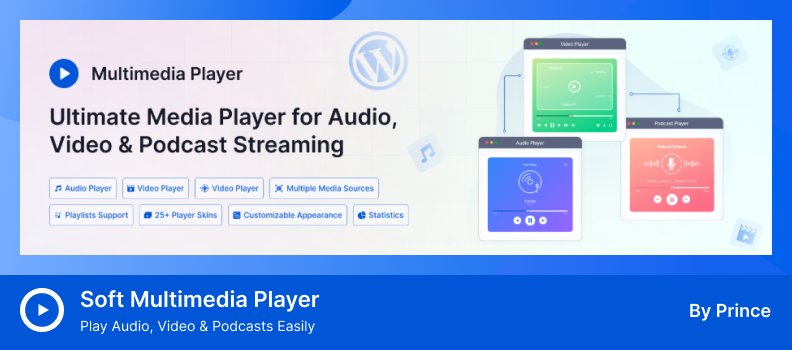
Soft Multimedia Player is a versatile plugin that works perfectly for embedding and playing podcasts on WordPress sites. It supports audio in popular formats like MP3, AAC, and WAV, allowing you to upload episodes directly or stream them from external sources.
With customizable skins, responsive design, and easy embedding through Gutenberg blocks or Elementor widgets, it’s beginner-friendly while still offering enough flexibility for podcasters who want a branded listening experience.
Key Features:
- Modern Podcast Player: Customizable player with a sleek, built-in design.
- Multiple Audio Format Support: Supports MP3, AAC, WAV, and more.
- Flexible Episode Hosting: Stream from your server or external sources.
- Responsive & Mobile-Friendly: Works perfectly on all devices.
- Custom Player Controls: Play, pause, skip, and volume options.
- Page Builder Integration: Compatible with Gutenberg and Elementor.
- Fully Brandable Design: Change colors, layout, and styles easily.
Pros:
- Easy to set up for podcast episodes
- Clean, responsive design for all devices
- Customization options without coding
Cons:
- Limited analytics for tracking podcast performance
- Advanced features may require extra setup
2. Podcast Player
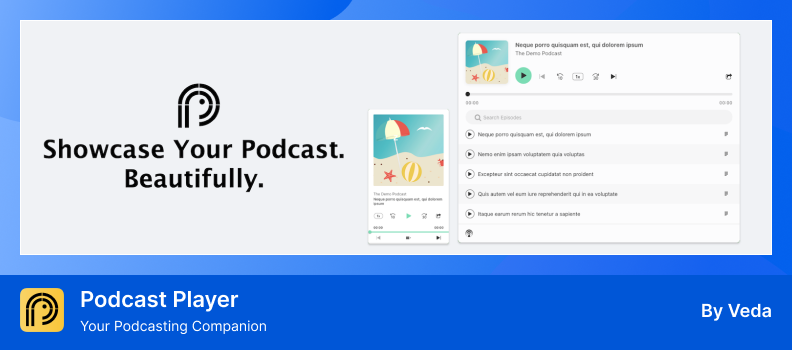
Podcast Player is a user-friendly WordPress plugin that lets you embed an entire podcast feed on your site with just a URL—no complicated setup required. It’s perfect for casual podcasters and site owners who want a clean listening experience delivered quickly.
This plugin includes handy features like responsive design, live episode search, customizable controls, and social sharing tools to create a more engaging experience for your listeners.
Key Features:
- Easy Feed Embedding: Embed episodes by simply pasting your podcast feed URL.
- Responsive Player: Adapts smoothly to all screen sizes and devices.
- Live Episode Search: Instantly find episodes with real-time search.
- Advanced Controls: Includes play, pause, skip, speed, and share buttons.
- Subscription Buttons: Add links for Apple, Google, Spotify, and more.
- Customizable Design: Tweak layout, colors, and elements to fit your brand.
Pros:
- Super easy to set up—just drop your feed URL and go
- Responsive and works well on all screen sizes
- Built-in search and subscription options enhance usability
Cons:
- Multiple podcast feeds in one player aren’t supported
- Lacks more advanced episode management unless you upgrade
- Not compatible with AMP (Accelerated Mobile Pages)
3. MP3 Audio Player
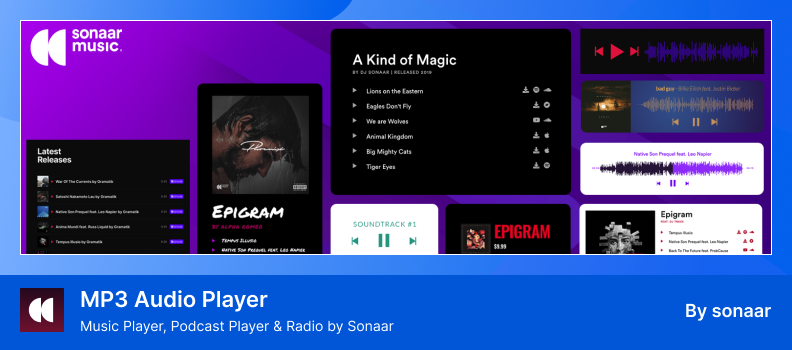
MP3 Music Player by Sonaar is a feature-rich audio plugin perfect for podcast creators. It lets you upload, organize, and display unlimited episodes with ease, supporting Gutenberg blocks, Elementor widgets, and shortcodes.
It’s mobile-friendly, offers waveform displays, built-in RSS support, and includes features like subscribe buttons, download links, and podcast metadata to enhance your listeners’ experience.
Key Features:
- Unlimited Albums & Playlists: Create as many audio albums and episode playlists as you need.
- RSS Feed Import: Easily import podcast shows using any RSS feed.
- Flexible Embedding: Works with Gutenberg, Elementor, or shortcode.
- Responsive with Waveform: Displays a responsive player with waveform visualization.
- Subscription & Download Options: Add subscribe buttons, download links, and streaming platform support.
Pros:
- Great for organizing and showcasing episodes
- Multiple easy embedding options
- Attractive responsive design
- Built-in subscribe and download tools
Cons:
- Some advanced features require the Pro version
- Possible compatibility issues with the latest WordPress/PHP
4. HTML5 Audio Player
HTML5 Audio Player is a lightweight and fully responsive plugin designed to embed podcast episodes seamlessly across your WordPress site—no coding needed. Using shortcodes or Gutenberg blocks, you can add MP3 or OGG audio directly into posts, widgets, or templates, ensuring smooth playback on any device.
This plugin supports major browsers and iOS devices, making it a reliable choice for podcasters who want a consistent, user-friendly listening experience from desktop to mobile.
Key Features:
- Easy Audio Embeds: Embed audio anywhere using shortcodes or blocks.
- Lightweight & Responsive: Designed to be fast and mobile-friendly.
- MP3 & OGG Support: Supports both formats with auto-selection.
- Cross-Browser Compatibility: Works smoothly across browsers and on iOS.
- Custom Player Skins: Change player colors and styles to fit your design.
- Flexible Playback Options: Supports autoplay, loop, and mute settings.
Pros:
- Simple setup—great for beginners starting with podcasts
- Lightweight and fast-loading across devices
- Customizable look and behavior without coding
Cons:
- Lacks advanced player controls like skip, speed adjustment, or playlist features in the free version
- More detailed design and playback settings are only available in Pro
5. Seriously Simple Podcasting
Seriously Simple Podcasting is a beginner-friendly WordPress plugin designed to help you publish, manage, and distribute your podcast episodes with ease. It allows you to upload audio or video files directly to your site and automatically generates an RSS feed for submission to directories like Apple Podcasts, Spotify, and Google Podcasts.
The plugin integrates seamlessly with the Castos hosting platform, enabling automatic synchronization of your podcast content across both platforms. Whether you’re a solo podcaster or managing multiple shows, Seriously Simple Podcasting offers a straightforward solution to get your content online quickly.
Key Features:
- Direct File Uploads: Upload audio or video files directly to WordPress.
- Auto RSS Feed: Automatically creates an RSS feed for podcast directories.
- Castos Integration: Sync content easily with Castos hosting.
- Multiple Podcast Support: Manage several podcasts on one WordPress site.
- Custom Podcast Player: Display episodes with a customizable audio player.
- Episode Metadata & Notes: Add show notes, episode titles, and details.
Pros:
- User-friendly interface suitable for beginners
- Streamlined process for publishing and distributing podcasts
- Flexible support for multiple podcasts on one site
- Integration with Castos enhances workflow efficiency
Cons:
- Some advanced features require Castos hosting
- Limited built-in analytics and reporting tools
- Customization options may be basic for advanced users
6. Music Player for Elementor
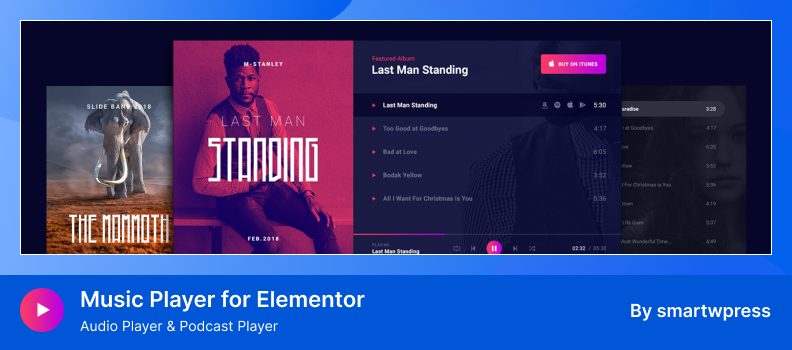
Music Player for Elementor is a versatile audio player plugin designed for WordPress users, particularly podcasters, who utilize the Elementor page builder. This plugin allows you to seamlessly integrate a customizable MP3 player into your website, enhancing the listening experience for your audience.
The plugin offers two Elementor widgets, enabling you to create playlists with unlimited songs, customize player aesthetics, and add promotional links for each track. It’s ideal for podcasters looking to showcase episodes, provide previews, or offer direct downloads.
Key Features:
- Elementor Audio Widgets: Includes two audio player widgets built for Elementor.
- Custom Cover Images: Add unique cover and background images to your player.
- Album & Promo Info: Display album title, promo text, and external store links.
- YouTube & SoundCloud Links: Add custom links for each song.
- Controls Bar Positioning: Choose to show controls bar at the top or bottom.
- Optional Album Details: Hide album info and show only the playlist if needed.
- Responsive Player Controls: Customize paddings for better control layout.
- Dynamic Tag Support: Compatible with dynamic tags in Elementor, ACF, and SCF.
Pros:
- Seamless integration with Elementor
- Highly customizable player design
- Supports unlimited tracks in playlists
- Ideal for showcasing podcast episodes with promotional options
Cons:
- Advanced customization features require the Pro version
- Limited to Elementor users; not compatible with other page builders
7. PowerPress Podcasting
PowerPress is a comprehensive podcasting plugin for WordPress, developed by Blubrry. It allows you to publish and manage one or multiple podcasts directly from your website, offering full control over your content and distribution.
The plugin supports both audio and video podcasts, providing customizable players, subscription tools, and integration with major podcast directories like Apple Podcasts, Spotify, and YouTube Music.
Key Features:
- Integrated Audio & Video Players: Supports platforms like YouTube within the player.
- Skip to Position Shortcode: Jump to specific episode timestamps easily.
- Playlist Player: Showcase multiple episodes in a single playlist.
- Podcast Import & Migration: Tools to effortlessly import and migrate shows.
- Subscribe Widgets: Add subscribe page and sidebar widgets to engage listeners.
- Multiple Podcast Management: Organize podcasts by categories and channels.
- Global & Emoji Support: Supports multiple languages and emojis in feeds.
- Regular Updates: Includes Podcasting 2.0 features like transcripts and chapters.
Pros:
- Comprehensive podcasting solution for WordPress users
- Easy integration with major podcast directories
- Customizable players and subscription tools
- Supports both audio and video podcasts
- Regular updates with new features
Cons:
- Some advanced features may require Blubrry hosting
- Initial setup may be complex for beginners
Conclusion
Choosing the right podcast plugin for WordPress is essential for creating a professional and engaging listening experience. The right plugin helps you upload, organize, and display episodes while providing features like responsive players, RSS feed generation, and subscription options.
The plugins covered in this article offer a variety of options, from simple, beginner-friendly tools to advanced solutions with analytics, multiple podcast management, and custom designs. Consider your site’s needs, your audience, and how much control you want over your podcast content when selecting a plugin.
Using a reliable podcast plugin helps grow your audience, improve listener engagement, and streamlines content management. With the right choice, you can provide a seamless and professional audio experience that keeps your visitors coming back for more.
FAQs & Answers
How do I choose the right podcast plugin?
Look for a plugin that is easy to use, matches your design, works well with your theme, and offers features like RSS feed, audio player, and analytics. You should also check reviews and active installations.
Can podcast plugins generate RSS feeds automatically?
Yes, most podcast plugins automatically create RSS feeds. This helps you share your episodes on major podcast platforms without extra steps.
Is it easy for beginners to use podcast plugins?
Yes, many podcast plugins are beginner-friendly. They offer simple interfaces for uploading episodes and setting up your podcast player.
Can listeners download episodes or subscribe?
Yes, many plugins include download buttons and subscription options. This allows users to listen offline or follow your show on their favorite app.
Can I organize multiple podcasts on the same WordPress site?
Yes, some plugins let you manage more than one podcast series on the same website. You can separate them using categories or custom feeds.
How important are analytics or listener tracking features?
Analytics help you understand how many people are listening and which episodes are most popular. Some plugins include basic stats or integrate with external tools.