
Adding videos to your WordPress website is a powerful way to engage visitors, share valuable content, and make your pages more interactive. Whether you’re showcasing tutorials, product demos, or creative projects, a reliable video player plugin can make all the difference in playback quality and user experience.
However, with so many video player plugins available, it can be challenging to find the one that fits your needs. Each plugin comes with its own set of features, design styles, and customization options, which can be overwhelming—especially for beginners.
In this article, we’ve rounded up the 9 best WordPress video player plugins to help you make an informed choice. We’ll look at their key features, ease of use, and how they can improve the way your audience interacts with your video content.
Whether you’re just starting your first WordPress site or looking to enhance your current setup, the right video player plugin can transform your website into a more dynamic and engaging space.
Table of Contents
What is a WordPress video player plugin?
A WordPress video player plugin helps you add and display videos on your website with more control than the default video block. It supports features like custom player styles, subtitles, playback speed, and mobile responsiveness. You can use it for both self-hosted videos and external sources like YouTube or Vimeo.
These plugins are ideal for anyone sharing video content regularly. They improve the viewing experience, allow for design customization, and often support playlists, analytics, and compatibility across different devices and browsers.
Why Use a Video Player Plugin in WordPress?
Adding videos directly to WordPress is possible, but relying only on the built-in video features can limit your site’s potential. A video player plugin unlocks more control, better visuals, and a smoother viewing experience for your audience.
- Better Video Playback Quality – A dedicated plugin ensures smoother playback and supports more video formats than WordPress’ default player.
- Customizable Appearance – Match the video player’s look with your website design for a more professional and branded feel.
- Advanced Features – Add options like playlists, subtitles, captions, and playback speed controls to enhance the viewer experience.
- Mobile-Friendly Viewing – Many plugins are fully responsive, ensuring your videos look great on phones, tablets, and desktops.
- Improved Engagement – Well-presented videos keep visitors watching longer, which can boost your website’s interaction and SEO.
By choosing the right plugin, you can turn ordinary video content into an engaging, user-friendly feature that keeps visitors coming back for more. You can turn ordinary video content into an engaging, user-friendly feature that keeps visitors coming back for more.
How to Choose the Right Video Player Plugin?
With so many options available, picking the right video player plugin can feel overwhelming—especially if you’re new to WordPress. Keeping a few key factors in mind will help you choose one that meets your needs without adding unnecessary complexity.
- Ease of Use – Look for a plugin with a simple setup process and a user-friendly interface, so you can get started quickly.
- Feature Set – Decide which features matter most—such as playlists, captions, or playback speed controls—and choose a plugin that offers them.
- Performance – A good video player should load quickly and play smoothly without slowing down your site.
- Mobile Responsiveness – Ensure the plugin adapts well to different devices so viewers have a great experience on phones, tablets, and desktops.
- Compatibility – Check that the plugin works with your WordPress theme, other plugins, and any video hosting platforms you plan to use.
By focusing on these points, you’ll be able to select a plugin that not only looks great but also delivers the performance and features your audience will appreciate.
Best WordPress Video Player Plugins
A good video player plugin can make a big difference in how visitors experience your website. The right choice ensures smooth playback, a responsive design, and features that keep viewers engaged.
Whether you need a simple player for quick uploads or a more advanced option with playlists, captions, and customization, there’s a plugin to match your needs and style.
Here you’ll see the plugin details so you can compare and choose the one that works best for your site.
1. Multimedia Player

Soft Multimedia Player is a flexible WordPress plugin that supports audio, video, and podcasts all in one. It’s ideal for beginners who want a simple yet powerful media solution without dealing with complicated settings. Whether you’re streaming MP3s, embedding YouTube videos, or showcasing podcast episodes, it delivers a clean and responsive playback experience.
With built-in Gutenberg and Elementor support, plus features like live previews, customizable skins, and mobile playback controls, this plugin makes it easy to manage and style your media directly from the WordPress dashboard.
Key Features:
- Multiple Player Types: Supports audio, video, and podcast formats seamlessly.
- Pre-Built Player Skins: Instant styling with ready-to-use player designs.
- Local & External Sources: Play media from your server or platforms like YouTube, Vimeo, and Facebook.
- Customizable Metadata: Edit title, artist, and cover art for each media file.
- Autoplay Support: Automatically plays media when browsers allow.
- Mobile Media Notifications: Includes lock-screen controls for mobile devices.
- Live Preview: Preview player settings in real-time while customizing.
- Custom CSS: Apply advanced design tweaks with your own CSS code.
- Multiple Players Per Page: Add more than one player on the same page.
- Gutenberg & Elementor Support: Includes blocks and widgets for easy embedding.
Pros:
- All-in-one solution for audio, video, and podcasts
- Easy setup and customization
- Mobile-friendly with lock-screen controls
Cons:
- Autoplay depends on browser permissions
- Fewer skin designs compared to premium players
2. Presto Player
Presto Player is a modern and user-friendly video player plugin for WordPress. It makes adding videos to your site simple, while offering customization options for both beginners and advanced users.
The plugin supports multiple video sources, video chapters, marketing tools, and analytics, making it ideal for bloggers, marketers, and course creators who want a professional video experience.
Key Features:
- HTML5 & External Videos: Supports HTML5 videos, YouTube, and Vimeo with lazy loading for faster performance.
- Page Builder Compatible: Works seamlessly with Gutenberg, Elementor, Beaver Builder, and others.
- Video Chapters & Playback: Includes chapters and saves playback positions for easier navigation.
- Marketing Tools: Features calls-to-action, email opt-ins, and muted autoplay previews.
- Analytics Integration: Connects with Google Analytics and video analytics to track engagement.
Pros:
- Clean, modern UI with powerful customization options
- Strong marketing-friendly features: CTAs, opt-ins, chapters, analytics
- Lightweight and fast with lazy loading for improved page speed
Cons:
- The free version is limited in features compared to the Pro version.
- A learning curve when configuring advanced features
- Relies on third-party hosting or services for video delivery if you don’t self-host
3. HTML5 Video Player

HTML5 Video Player is a simple and responsive WordPress plugin that makes embedding videos easy. It supports multiple formats like MP4, WebM, OGG, and FLV, ensuring your videos play smoothly across all devices and browsers.
With no coding required, you can quickly add videos using shortcodes or Gutenberg blocks. The plugin also offers customization options to match your site’s design, making it a versatile choice for beginners.
Key Features:
- Responsive HTML5 Player: Adapts seamlessly to all device types and screen sizes.
- No-Code Embedding: Easily embed videos with shortcodes or Gutenberg blocks.
- Multiple Format Support: Plays MP4, WebM, OGG, and FLV video formats.
- Playback Options: Includes autoplay, loop, and mute settings.
- Customizable Skins: Change player skins and colors to fit your brand.
- SEO Optimized: Uses schema markup to improve search engine visibility.
- Lightweight Design: Compact and fast-loading for better performance.
- Custom CSS Support: Allows advanced styling through custom CSS.
Pros:
- Easy to use with no coding required
- Supports multiple video formats
- Customizable player appearance
Cons:
- Limited advanced features in the free version
- Basic analytics and tracking options
4. Easy Video Player

Easy Video Player is a lightweight and beginner-friendly WordPress plugin designed to help you embed videos effortlessly. Whether you’re using self-hosted MP4 files or external links, it provides a straightforward solution for adding video content to your site.
With responsive design and support for HTML5, this plugin ensures your videos play smoothly across all devices and browsers. It’s an excellent choice for those seeking simplicity without compromising functionality.
Key Features:
- MP4 Video Embeds: Easily embed MP4 videos into your website.
- Responsive Player: Optimized for smooth playback on mobile devices.
- HTML5 Compatibility: Works across all major browsers.
- Poster Image Support: Display custom thumbnails before playback.
- Playback Controls: Includes autoplay, loop, and mute options.
- Customizable Player: Style the player using CSS classes.
- MediaElement Integration: Built on the popular MediaElement player.
- Easy Embedding: Use shortcodes for quick video insertion.
Pros:
- Simple setup with no coding required
- Lightweight and fast performance
- Fully responsive design
- Compatible with major browsers
Cons:
- Limited advanced features in the free version
- Basic customization options compared to premium plugins
5. All-in-One Video Gallery

All-in-One Video Gallery is a versatile WordPress plugin that lets you create and organize video galleries easily. It’s perfect for bloggers, educators, or content creators who want a professional, searchable video display.
The plugin supports multiple video platforms and formats while keeping your galleries responsive and user-friendly. You can quickly add videos with categories, tags, and custom layouts.
Key Features:
- HTML5 Video Player: Supports YouTube, Vimeo, and self-hosted MP4 files.
- Playback Options: Includes autoplay, loop, and fullscreen controls.
- Subtitles & Captions: Supports subtitles and closed captions for accessibility.
- Organize Videos: Use categories and tags to manage your video library.
- Gallery Features: Offers filtering and sorting for video galleries.
- Easy Embedding: Includes Gutenberg blocks and widgets for quick insertion.
Pros:
- Easy to manage and organize video galleries
- Responsive design for mobile and desktop
- Supports multiple video platforms
Cons:
- Some advanced features require the premium version
- Setup may take a little time for beginners
6. YT Player

YT Player is a lightweight and fully customizable YouTube video player for WordPress. It allows you to embed YouTube videos easily using shortcodes, making it perfect for bloggers, marketers, and educators.
The plugin is fully responsive, works on all devices, and offers basic customization options for player controls and layout, ensuring a smooth video experience for your visitors.
Key Features:
- YouTube Embeds: Easily embed YouTube videos with a simple shortcode.
- Fully Responsive: Works perfectly on desktop, tablet, and mobile devices.
- Fullscreen Support: Allows users to view videos in full-screen mode.
- Toggle Player Controls: Play, pause, volume, and full-screen controls can be toggled.
- Accessibility Features: Keyboard and accessibility support included.
- Fast & Lightweight: Designed for optimal page speed and performance.
Pros:
- Easy to use with no coding required
- Responsive and mobile-friendly
- Customizable player controls
Cons:
- Advanced features require the Pro version
- Limited customization in free version
7. Video Gallery
Gallery Videos is a WordPress plugin that lets you create responsive video galleries easily. It supports YouTube, Vimeo, Wistia, and self-hosted MP4 videos, making it simple to showcase your content professionally.
The plugin includes multiple gallery layouts, lightbox support, and hover effects, giving you the flexibility to design galleries that match your website’s style and improve user engagement.
Key Features:
- Multiple Video Sources: Supports YouTube, Vimeo, Wistia, and MP4 videos.
- Responsive Gallery Layouts: Offers 9 different responsive gallery layouts.
- Lightbox Playback: Plays videos in a lightbox overlay for a better experience.
- Hover Effects: Includes 12 customizable hover styles.
- Gallery Pagination: Supports pagination and “Load More” for easier browsing.
- Unlimited Shortcodes: Generate unlimited shortcodes for flexible embedding.
Pros:
- Easy to use with no coding required
- Fully responsive design
- Supports multiple video platforms
Cons:
- Advanced features require the premium version
- Limited format support in the free version
8. Super Video Player
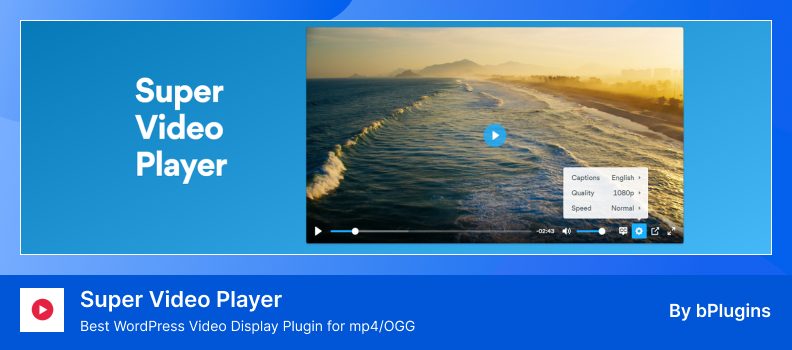
Super Video Player is a lightweight and fully customizable self-hosted video player plugin for WordPress. It supports MP4 and OGG formats, along with multiple subtitle tracks, making it ideal for bloggers, educators, and content creators.
The plugin offers a responsive design, ensuring videos play smoothly across all devices. Features like autoplay, loop, and mute options give you control over how your videos are presented to your audience.
Key Features:
- MP4 & OGG Support: Plays both MP4 and OGG video formats.
- Multiple Subtitles: Supports several subtitle tracks for accessibility.
- Playback Options: Includes autoplay, loop, and mute features.
- Responsive Design: Optimized for all device types and screen sizes.
- HTML5 Compatible: Works smoothly on iOS devices via HTML5.
- Shortcode Embedding: Easy integration with shortcode support.
Pros:
- Easy to use with no coding required
- Fully responsive and mobile-friendly
- Supports multiple subtitle tracks
Cons:
- Advanced features require the premium version
- Limited customization options in the free version
9. Feeds for YouTube

Feeds for YouTube is a lightweight plugin that enables you to display customizable YouTube channel feeds on your WordPress site. It supports various layouts, including list, gallery, and grid, allowing you to showcase your videos in a style that complements your website.
The plugin is designed to be responsive and mobile-optimized, ensuring your video content looks great on any device. It also offers features like multiple feed support, caching for faster loading times, and easy integration via shortcodes or widgets.
Key Features:
- YouTube Feeds Support: Works with YouTube channels, playlists, and gallery feeds.
- Multiple Layouts: Choose from list, gallery, and grid layouts.
- Responsive Design: Mobile-optimized for all devices.
- Caching Enabled: Improves performance with caching.
- Load More Button: Adds infinite scrolling with a “Load More” option.
- Easy Integration: Use shortcodes and widgets to embed feeds.
- Customizable Header: Add your own header to the feed.
- Advanced Customization: Supports custom CSS and JavaScript additions.
Pros:
- Easy setup with no coding required
- Fully responsive and mobile-friendly
- Supports multiple feed types and layouts
- Lightweight and fast performance
Cons:
- Advanced features require the premium version
- Limited customization options in the free version
Conclusion
Adding videos to your WordPress website can significantly enhance engagement and keep visitors on your site longer. The right video player plugin ensures smooth playback, responsive design, and easy customization without needing advanced technical skills.
Each of the plugins we covered offers unique features and benefits. Some are simple and lightweight, perfect for beginners, while others provide advanced functionality like playlists, analytics, and marketing tools for more experienced users.
When choosing a plugin, consider your specific needs—such as video sources, layout options, and mobile responsiveness—to find the one that best fits your website and audience.
Ultimately, using a reliable video player plugin makes your website more dynamic, professional, and user-friendly, helping you deliver a better experience for your visitors.
FAQs & Answers
Why should I use a video player plugin instead of the built‑in WordPress video support?
The built‑in video support is basic and lacks many advanced options. A plugin gives you better playback quality, customization, and features like responsive layouts, subtitles, analytics, etc.
Will a video player plugin slow down my website?
A poorly coded or heavy plugin might impact load speed, but many good video players use lazy loading or efficient scripts to minimize impact. Always test performance (e.g., with tools like PageSpeed) after installing.
Can I use videos from YouTube or Vimeo with these plugins?
Yes. Many video player plugins support external video sources such as YouTube, Vimeo, or self‑hosted videos. You just supply the URL or embed code.
Is a plugin required for embedding MP4 or other formats?
Not strictly. You can embed MP4s manually, but a plugin simplifies embedding, provides controls, ensures responsive behavior, and supports multiple formats cleanly.
Will the plugin work with my WordPress theme and other plugins?
Generally, yes, but it depends. You should check plugin compatibility (especially in documentation or reviews) and test it on a staging copy of your site.
Can I track video engagement or analytics with these plugins?
Some plugins include integration with analytics tools or built‑in tracking features. For example, Presto Player offers analytics to see how users interact with your videos.