
Can you play your online radio station on your WordPress website?
That’s the most common question you might ask yourself before running an online radio stream.
The answer is Yes!
You absolutely can play your own online radio stations on your WordPress website with the help of some awesome plugins.
In this age of the Internet, people are not likely interested in listening to traditional offline Radios. Rather than listening to offline radios, people prefer listening live radio using apps or websites.
So let’s find out the best online radio plugins for WordPress that will allow you to play your radio station on your WordPress website.
Table of Contents
What is Online Radio Player?
An online radio player is a digital tool or software that lets you listen to radio stations over the internet. It streams live audio content, such as music, news, or talk shows, directly to your device without the need for traditional radio signals.
These players are often built into websites, apps, or devices, allowing users to access stations from around the world. Online radio players usually come with features like play, pause, volume control, and sometimes station search or playlists for easy navigation.
Benefits of Using Online Radio Player Plugins in WordPress
Online radio player plugins are great for any WordPress site. They let you play live music or shows. You don’t need to know coding. Just install, set up, and start streaming. It’s a fun way to connect with your audience.
- Easy Setup – Most plugins are simple to install and use.
- Live Streaming – You can stream your own radio station or others worldwide.
- Better Engagement – Visitors stay longer when there’s music or live content.
- Custom Look – Many plugins let you match the player with your website design.
- Mobile Friendly – Works well on phones and tablets too.
These plugins make your website more lively and interactive. Visitors will enjoy the sound and stay longer. It adds value without much work. A small plugin can make a big difference.
6 Best Online Radio Player Plugins for WordPress
Here are some great plugins to bring live radio or audio streams onto your site. Each is easy to use and works well even if you’re new to WordPress.
1. Radio Player
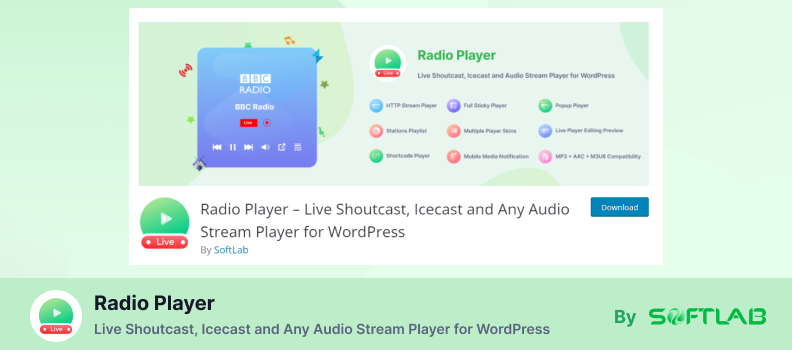
Radio Player is the most advanced, simple, easy-to-use, and fully customizable web Radio Player for WordPress websites developed by SoftLab.
It’s specially configured to play any MP3, Shoutcast, IceCast, Radionomy, Airtime, Live365, radio.co, and any Audio stream on your WordPress website. The most powerful and unique feature of this plugin is that you can play an HTTP stream on an HTTPS website.
There are many other features included in this plugin that reflects Radio Player as the most useful in the particular category.

Let’s discover Radio Player’s exclusive features:
- Shortcode Player: Easily embed the radio player anywhere on your site using a simple shortcode.
- Current Track / Song Title Display: Automatically shows the currently playing track or song title to your visitors.
- Wide Format & Platform Compatibility: Supports audio formats like MP3, AAC, M3U8 and streams from services like Shoutcast, IceCast, Radionomy, Airtime, Live365, and radio.co.
- Multiple Players and Skins (Free Version): Create up to 10 separate player instances and choose from multiple customizable player skins.
- Mobile Media Notification: Enables a mobile lock-screen media notification, allowing users to control playback from their device’s lock screen.
- Realtime Player Editing Preview: Offers live preview of any player setting changes as you make them.
- HTTP Stream Playback via Proxy Add-On: Use the Proxy Add-on to play HTTP (non-SSL) streams on HTTPS-secured sites, overcoming browser mixed-content restrictions.
Pros:
- Flexible embedding options with shortcode and multiple player support
- Supports a wide range of formats and streaming platforms
- Customizable with multiple player skins
- Mobile-friendly with lock-screen playback controls
- Live preview makes customization easier
- Proxy add-on improves compatibility with non-SSL streams
- Pro version adds advanced features like sticky players, popups, playlists, stats, and more
Cons:
- Sticky player limitation: only one sticky player works per page
- Documentation is sometimes unclear or incomplete
- Refund process has been reported as problematic by some users
- Autoplay disabled by modern browsers, requiring manual start
- HTTP streams need extra configuration with the Proxy Add-On to work on HTTPS sites
Pricing: Radio Player plugin has a FREE version available. This plugin’s premium version is starting from $39.
2. WP Radio
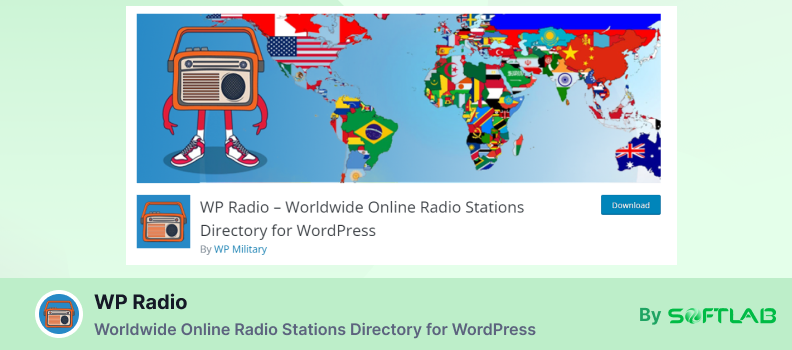
WP Radio is yet another exciting creation by SoftLab. It’s a worldwide online radio station directory plugin for WordPress. If you are planning to turn your website into a giant radio directory, there is no better option than WP Radio.
You can easily create a full-featured online radio directory website with the WP Radio plugin. WP Radio features pre-included 52000+ online radio stations from around 190+ countries all over the world.
You can also add unlimited radio stations (Icecast, Shoutcast, Radionomy, Radiojar, RadioCo, .m3u8, etc) of your own.
It means you users don’t need to go anywhere else to enjoy different radio stations. All will be in one package if you integrate your website with the WP Radio plugin.
Here are some crazy features that the WP Radio plugin provides you:
- Radio Stations Directory & Importer: Comes with a massive pre-loaded library of 45,000+ radio stations from around 190+ countries, and lets you import more stations as needed.
- Unlimited Station Addition: You can add and play unlimited live radio streams, including formats like Icecast, Shoutcast, Radionomy, Radiojar, and Radio.co.
- Shortcode Player & Sticky/Popup Player Options: Includes a shortcode for embedding, as well as sticky and popup player display modes.
- Mobile Compatible & Highly Customizable: Designed for mobile responsiveness and offers robust customization options.
- Player Statistics Reporting: Tracks station plays and provides statistics to help you monitor engagement.
- Add-ons Available (e.g., Proxy, Ads, Image Import): Supports extensions like User Frontend, Ads Player, Proxy Player, and Image Import for enhanced functionality.
- Free Lifetime Updates & Dedicated Support: Comes with ongoing updates and dedicated customer support.
Pros:
- Massive built-in station database (45,000+ stations across 190+ countries)
- Supports unlimited custom station additions
- Flexible player display options: sticky, popup, shortcode
- Mobile-friendly design and customization flexibility
- Includes analytics/statistics for station plays
- Extensible via useful add-ons (e.g., ads, proxy streaming)
- Guarantees free lifetime updates and paid-tier support
Cons:
- Premium pricing model; some features like CSV importing are limited to paid plans
- May not be ideal for users seeking a simple single-stream embedding plugin
Pricing: WP Radio plugin has a FREE version available. This plugin’s premium version is starting from $39.
3. Hero
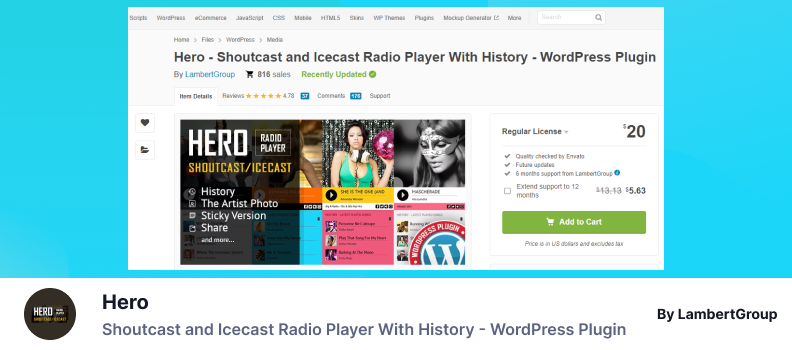
Hero is known as the most successful online radio plugin developed by LambertGroup. Comparing other online radio-related plugins, they just nailed their creation, including unmatched & unique features in it.
This ultimate radio plugin for WordPress allows ShoutCast, IceCast, AzuraCast, RadioJar, and many other integrations without any hassle or coding knowledge.
Hero allows you not only to play radios on the WordPress website, but it’s also compatible with Android, iOS, HTML5, and many more.
Let’s directly move into the exciting features that will fall you in love with the Hero itself.
Hero Plugin Features:
- Shoutcast & Icecast Support: Stream MP3 and AAC radio feeds from Shoutcast and Icecast servers.
- Track History: Displays a list of previously played songs, enhancing user engagement.
- Responsive & Mobile-Friendly: Ensures optimal playback across all devices, including iOS and Android.
- Customizable Skins & Colors: Offers multiple skins and color options to match your site’s design.
- Sticky & Popup Player Modes: Allows the player to remain visible as users scroll or appear in a pop-up.
- AJAX-Powered Interface: Provides smooth transitions and real-time updates without page reloads.
- Social Media Sharing: Enables listeners to share their favorite tracks on platforms like Facebook and Twitter.
Pros:
- Supports both Shoutcast and Icecast streaming protocols.
- Displays current track information, including song title and artist photo.
- Fully responsive design ensures compatibility with mobile devices.
- Customizable appearance to fit various website themes.
- Offers multiple player modes, including sticky and pop-up options.
- AJAX functionality provides a seamless user experience.
- Facilitates social media sharing, increasing user interaction.
Cons:
- Autoplay may not function on iOS devices due to browser restrictions.
- Volume control might be limited on certain mobile devices.
- Some advanced features require familiarity with JavaScript for customization.
- Not all browsers support AAC streaming; MP3 is more widely compatible.
- May require additional configuration for optimal performance on HTTPS sites.
Pricing: Hero is available in multiple pricing packages. The Regular License costs you about $12, and the Extended License costs you around $175.
4. Radio Station
Radio Station Plugin has been developed by Tony Zeoli & Tony Hayes to build and manage a Show Schedule for a radio station or an internet broadcaster’s WordPress website.
If you’re a podcaster with scheduled releases or a Clubhouse app moderator who schedules rooms, you could use this plugin to announce your schedule on your WordPress website.
The plugin adds a new “Show” post type, schedulable blocks of time that contain a Show description, a Show shifts repeater field, assignable images, and other meta information.
You can also create Playlists associated with those shows, or assign standard blog posts to relate to a Show.
Here are some of the Cool features the Radio Plugin provides:
- Show Scheduling & Management: Create and manage shows with weekly shifts, descriptions, images, and host assignments.
- Flexible Display Options: Choose from three schedule layouts: Table, Tabs, or List, and display schedules using blocks, widgets, or shortcodes.
- Stream Player Integration: Embed a stream player to allow users to listen to broadcasts while navigating your site.
- Playlist Association: Link playlists and related blog posts to specific shows for enhanced content delivery.
- Role-Based Access: Assign roles like Host or Producer to users, granting them appropriate editing privileges.
- Genre & Language Taxonomies: Organize shows by genre and language for better content categorization.
- Automatic Pages: Generate automatic pages for your schedule and show archives, simplifying site management.
Pros:
- Comprehensive scheduling and show management features.
- Multiple display options to suit different site designs.
- Integrated stream player enhances user experience.
- Ability to associate playlists and blog posts with shows.
- Role-based access control for team collaboration.
- Organizational taxonomies for better content filtering.
- Automatic page generation streamlines site maintenance.
Cons:
- May require additional configuration for optimal performance.
- Advanced features may necessitate familiarity with the WordPress backend.
- Some customization options might require coding knowledge.
- Limited integration with external streaming services.
- Potential compatibility issues with certain themes or plugins.
Pricing: The Radio Station Plugin doesn’t cost you a penny. It’s totally FREE to use all the features.
5. StreamCast
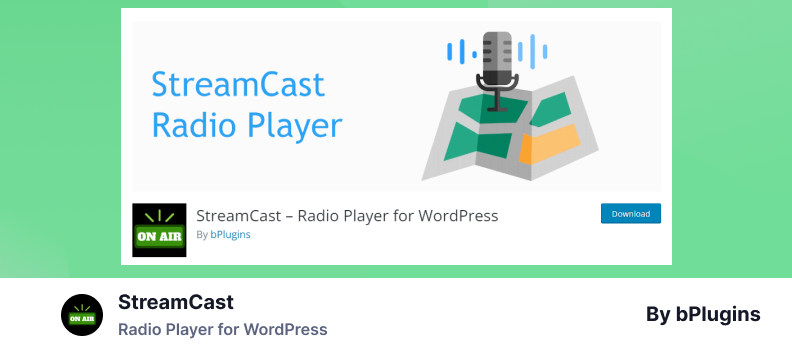
StreamCast is another entry-level Radio Player for WordPress By bPlugins. A simple, accessible, user-friendly, and fully customizable radio player for WordPress. You can play Icecast, Shoutcast, Radionomy, Radiojar, and Radio.Co Live stream in WordPress website using shortcode.
StreamCast is yet another solution that brings your own radio stations to stream inside your WordPress website.
Cool right?
I have to discuss the StreamCast plugin’s exclusive features that might help you gather the right idea about the plugin.
Here they are:
- Multi-Source Streaming Support: Compatible with Shoutcast, Icecast, Radionomy, Radiojar, and Radio.co streams.
- Simple Shortcode Embedding: Easily embed the player using a straightforward shortcode.
- Customizable Background Color: Adjust the player’s background color to match your site’s design.
- Responsive Design: Ensures the player adapts seamlessly to various device screens.
- Block Editor Integration: Provides a Gutenberg block for easy placement within posts or pages.
Pros:
- Supports multiple streaming platforms.
- User-friendly setup with shortcode and block options.
- Offers basic customization features.
Cons:
- Limited to a single player instance per page.
- Lacks advanced features like track metadata display.
- May require SSL for stream compatibility with modern browsers.
Pricing: StreamCast has 3 different pricing packages. Single site license costs $49.99/ year, 5 sites license costs $119.88/ year, and unlimited sites license costs $323.88/ year.
6. Luna Web Radio Player
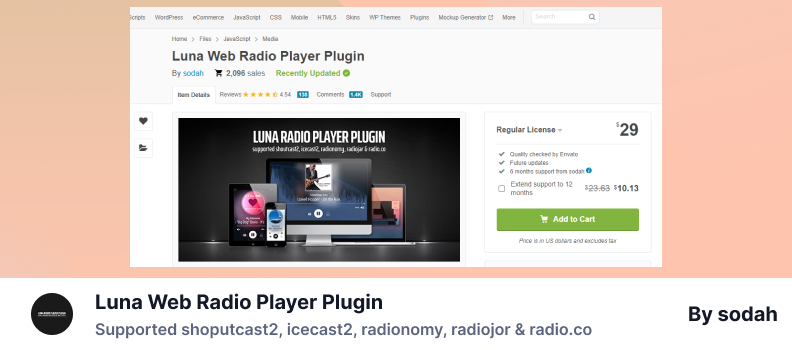
Luna Web Radio Player is the world’s first browser-based native HTML5 live stream radio player in the fourth generation. Luna allows playing all MPEG-Audio and AAC-Audio streams along with MP3, and is written in JavaScript compatible with iOS, Android, and supports all browsers Firefox, Chrome, Safari, IE, and Opera! It works responsively and allows you to rapidly weave cross-platform radio streams into your web pages (especially WordPress).
As I mentioned about MP3 compatibility earlier, HTML5 MP3 Radio FM MP3 Stream Player can grab “Song Information” on the player as Stream Title for standard Shoutcast 2, Icecast 2, Radionomy, Radiojar, and Radio.co.
Let’s find out the coolest features included in Luna Web Radio Player:
- Multi-Relay Support: Allows broadcasting from multiple sources simultaneously.
- MPEG Audio Stream Compatibility: Supports all MPEG-Audio radio streams.
- Customizable Skins: Offers various skins to match your website’s design.
- Shortcode Generator: Facilitates easy embedding of the player using shortcodes.
- Responsive Design: Ensures the player is mobile-friendly and adapts to different screen sizes.
Pros:
- Supports multiple audio formats and streaming protocols.
- User-friendly interface with easy setup.
- Customizable appearance to fit website themes.
Cons:
- May require technical knowledge for advanced customization.
- Limited support for certain modern streaming features.
Pricing: Luna is available in multiple pricing packages. The Regular License costs you about $29, and the Extended License costs you around $1024.
Which Radio Plugin Should You Pick?
Well, you might have gone through these best radio plugins for WordPress. But still unable to decide which one you should pick?
I will help you out!
So far, I have tested the Radio Player looked perfect on my end. It updates frequently, has user-friendly interfaces, rich features that a radio player plugin must have, and most importantly fast customer support.
Now the decision is all yours which one you are going to pick. Hope I have introduced some handy Radio Plugins for WordPress that can give your website a better entertainment vibe.
Conclusion
WordPress makes it easy to add online radio to your site. There are plugins for different needs. Some play their own stream. Others offer many stations worldwide. Many have free versions and extra tools like playlists or song info.
If you’re new, start with a simple plugin. Try Radio Player for more features. Use WP Radio for global stations. Pick a Radio Station for scheduled shows. Want a modern look? Try StreamCast or Luna. Test a few and choose what fits best.
FAQs & Answers
What streaming formats and services does the Radio Player support?
The plugin works seamlessly with live MP3, AAC, Shoutcast, Icecast, and other audio streams, including .m3u8 playlists, making it compatible with most major radio streaming formats.
Can I keep audio playing as visitors browse the site?
Yes! The Sticky Player supports Full‑width, Mini‑Full‑width, and Floating styles. You can also use the Popup Player, which opens in a separate window, ensuring uninterrupted listening across your site.
Is it possible to switch between multiple stations in one player?
Absolutely. The Stations Playlist feature lets you combine and switch between multiple radio stations within a single player interface—offering a simplified and engaging user experience.
Can I schedule when the player appears on my site?
Yes—use the Player Display Schedule to set specific start and end dates for when the player is visible, which is perfect for special broadcasts, events, or time-sensitive campaigns.
Are there additional tools or add-ons to extend functionality?
Definitely. Add-ons such as the Proxy Add-on allow HTTP streams to play on HTTPS sites, and the Ads Player Add-on helps you inject pre‑roll/mid‑roll audio ads with targeting and reporting features.
No Comments yet!
Leave a reply