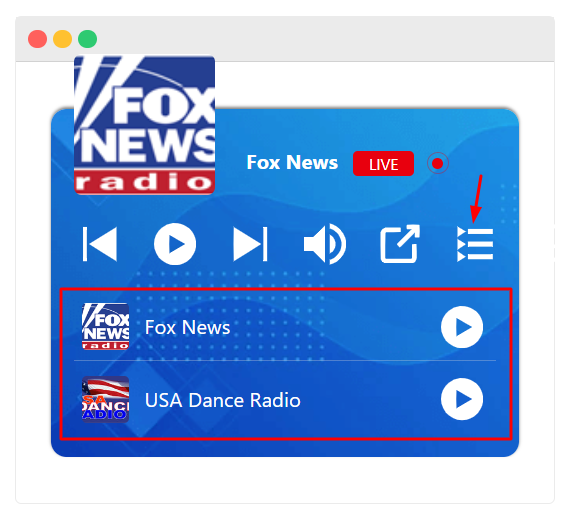
Displaying multiple radio station playlists in a single Radio Player enhances user experience. It also provides easy access to a variety of stations.
The following guide will walk you through the steps to set up and manage multiple playlists using the Radio Player WordPress plugin.
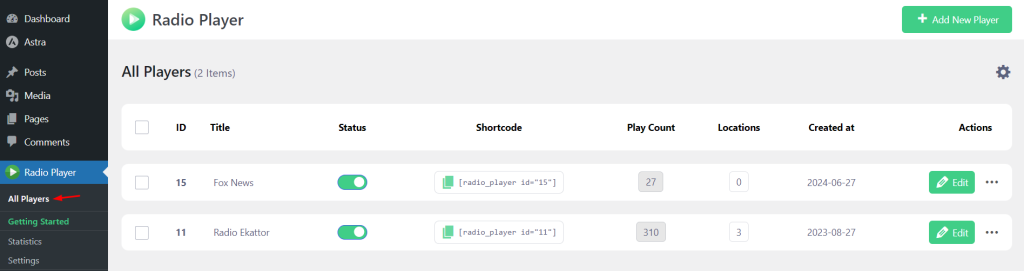
Access the Radio Player Plugin
This section guides you on how to access and navigate the radio player plugin. You’ll learn where to find its settings and tools so you can start creating and managing your radio players efficiently.
- Navigate to your WordPress dashboard.
- Go to the Radio Player plugin section by clicking on “Radio Player” in the left menu.
- Select “All Players” to view all your existing radio players.
Add a New Player or Edit Existing
Easily create a new radio player or tweak an existing one to fit your needs. This section walks you through setting it up, updating its settings, and getting it ready for your audience.
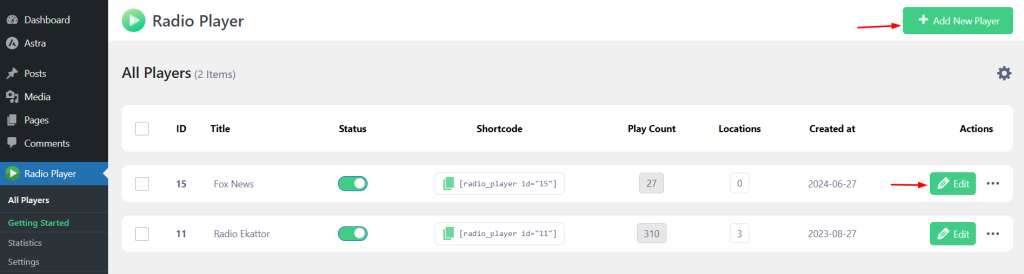
- To create a new player, click on “Add New Player.”
- If you want to modify an existing player, click “Edit” next to the player you want to update.
Adding a New Station
Bring your radio lineup to life by adding new stations. This section shows you how to input station details, upload logos, and get each station ready for listeners.
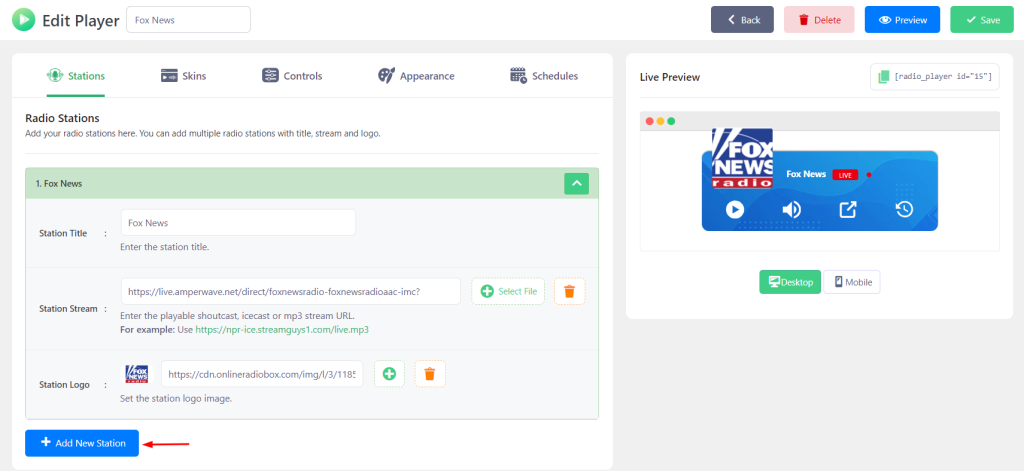
- Within the player settings, click the “Add New Station” button.
- Fill in the necessary information for the new station, including the station name, stream URL, and any other required details.
- Repeat this process for each station you want to add to the player.
Enabling the Playlist Icon
This section explains how to activate the playlist icon on your radio player. Enabling it allows listeners to easily view and navigate through your station lineup for a smoother listening experience.
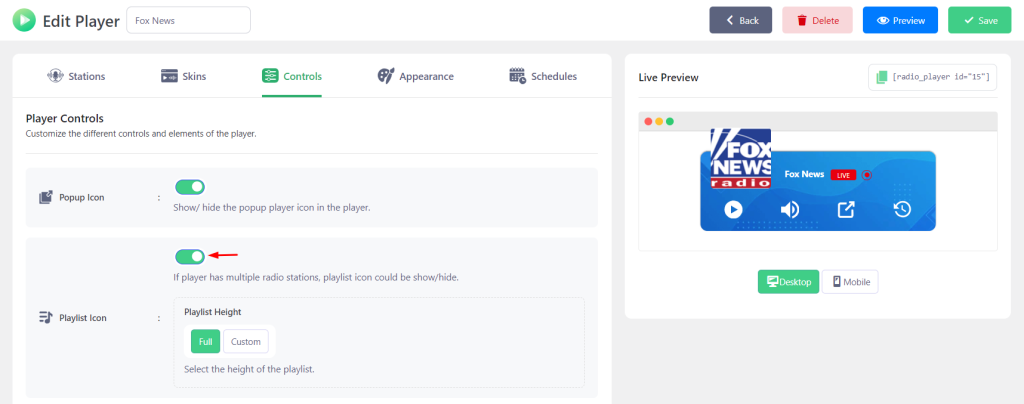
- Navigate to the “Controls” tab within the player settings.
- Enable the “Playlist Icon” and ensure it is turned on. This will allow users to view and switch between different station playlists inside the player.
- Click “Save Changes” to finalize your changes.
By following these steps, you can easily display multiple radio station playlists within your Radio Player, providing a rich and customizable listening experience users.
Output