Embedding the Radio Player on another WordPress website allows you to easily share your radio stream with a wider audience. Whether you’re promoting your radio station on external websites or partnering with others, the integration is simple and effective.
In this guide, we’ll walk you through the process of embedding your Radio Player on any WordPress website.
Step-1: Generate Embed Code
Start by generating the embed code for your radio player. This code allows you to easily add the player to your website, blog, or any other platform that supports HTML.
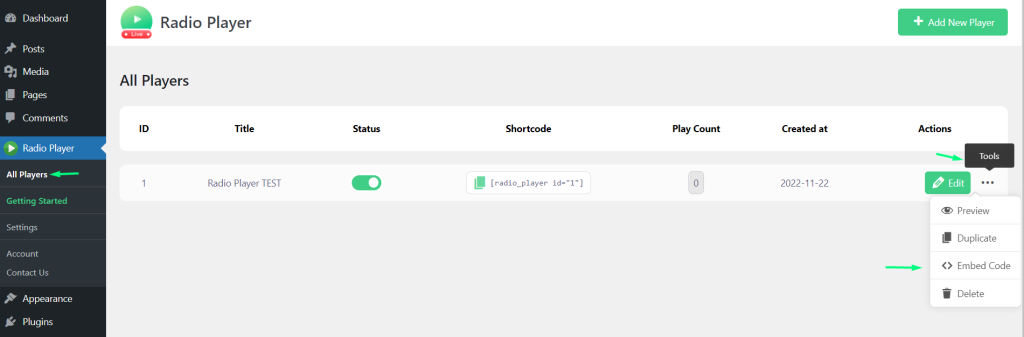
- Navigate to All Players in the Radio Player dashboard.
- Click the Gear Icon (3 dots) next to your preferred player.
- Select Embed Code from the options.
Step-2 Embed the HTML Code
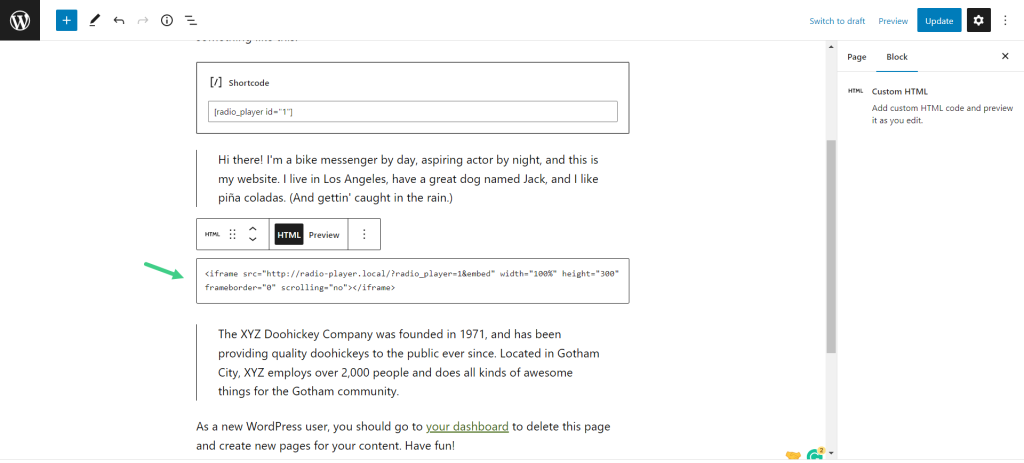
After generating the embed code, place it into your website’s HTML where you want the radio player to appear. This step makes the player visible and ready for listeners to access.
- Copy the HTML Embed Code and paste where you want to embed the Player.