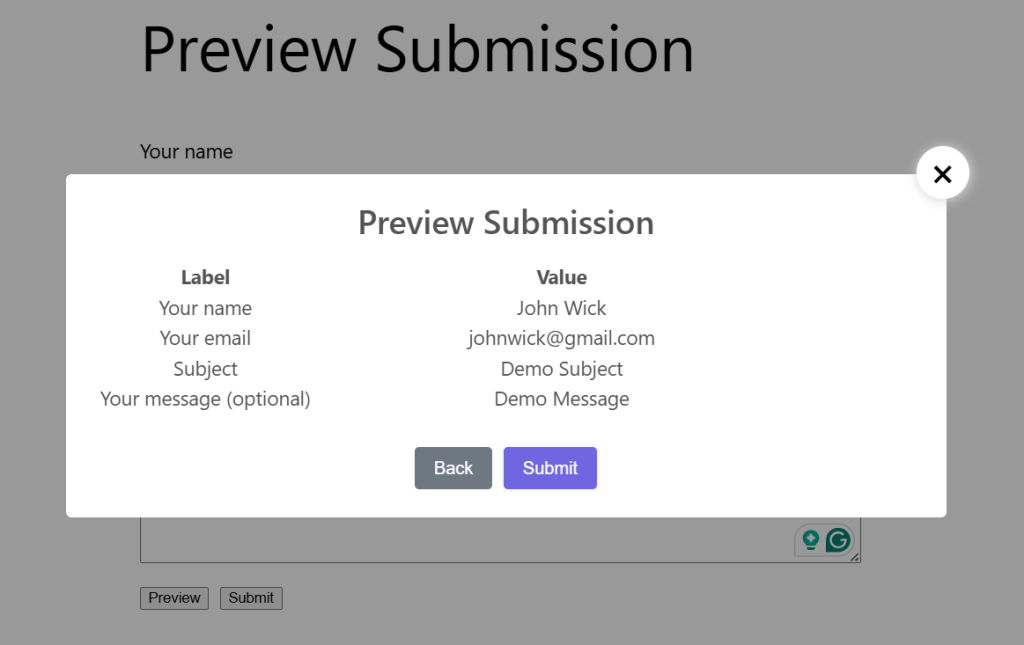
Essential Addons for the Contact Form 7 plugin’s Preview Submission feature allows users to review their form entries before completing the submission process. It helps reduce errors and ensures accurate form data by giving users a chance to confirm their inputs. You can manage and configure the preview settings easily from the WordPress admin area.
To implement & manage the Preview Submission feature for form submissions, follow the guidelines below.
Make sure you have installed both Contact Form 7 & Essential Addons Contact Form 7 (PRO) plugins inside your WordPress.
Enable Preview Submission
You must enable the Preview Submission feature to allow users to review their Contact Form 7 form entries before final submission. To do that, follow the steps below:
- Navigate to the Contact Form 7 menu.
- Click on Essential Addons.
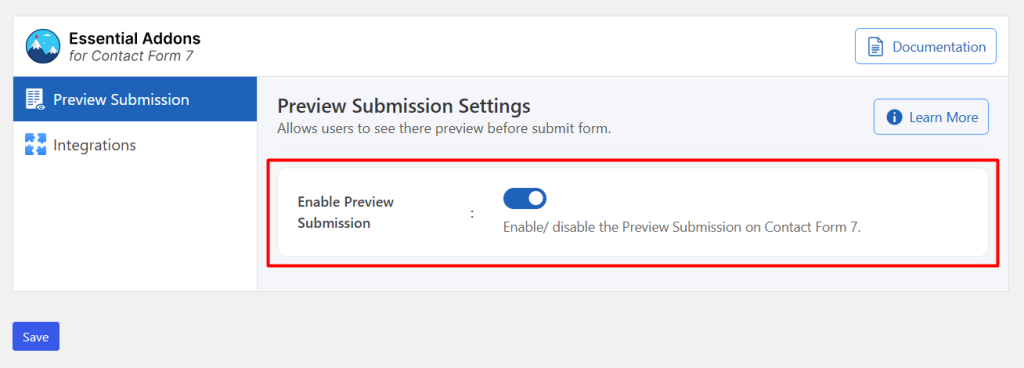
- From the Features tab, enable the Preview Submission.

Configure Preview Submission Additional Settings
To configure additional settings for Preview Submission, follow the guidelines:
- Navigate to any existing form or create a new one.
- Enable Preview Submission: Enable/ disable the Preview Submission on Contact Form 7.
Once the preview step is enabled, clicking the Preview button will display a confirmation screen where users can review their information before final submission.
Output