Essential Addons for Contact Form 7 plugin’s Spam Blocker feature helps protect your forms from unwanted and automated submissions. It adds advanced filtering controls to reduce spam and ensure genuine form entries. You can easily manage and configure the spam protection settings from the WordPress admin area.
To implement and manage the Spam Blocker feature for form submissions, follow the guideline below.
Make sure you have installed both Contact Form 7 & Essential Addons Contact Form 7 (PRO) plugins inside your WordPress.
Enable Spam Blocker
You must enable the Spam Blocker feature to protect your Contact Form 7 forms from unwanted and spam submissions. To do that, follow the steps below:
- Navigate to the Contact Form 7 menu.
- Click on Essential Addons.
- From the Features tab, enable the Spam Blocker.

Configure Spam Blocker Additional Settings
To configure additional settings for Spam Blocker, follow the guidelines below:
- Navigate to any existing form or create a new one.
-
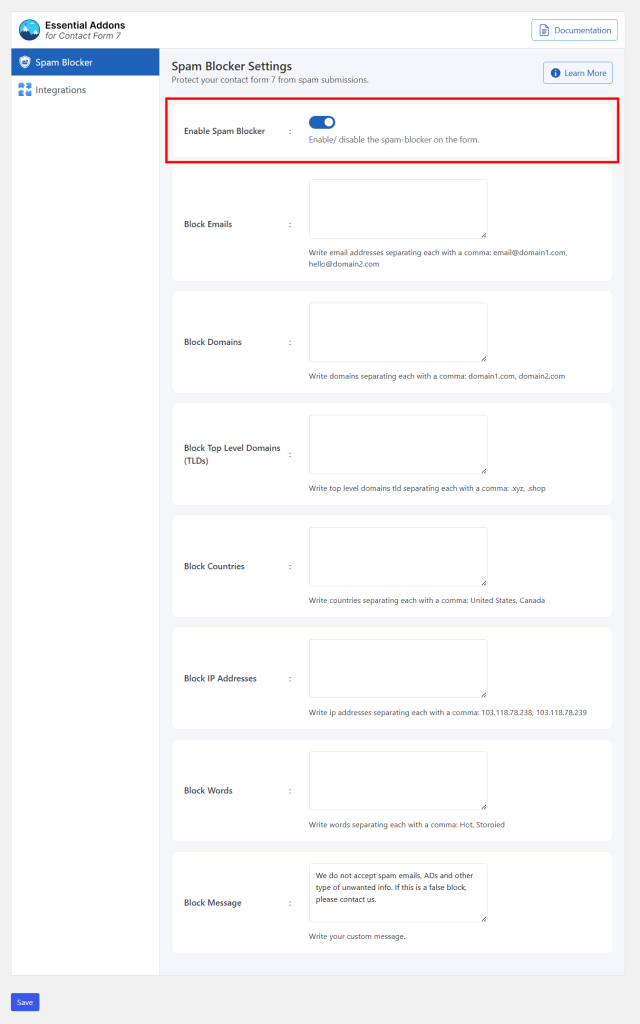
Enable Spam Blocker: Turn the spam protection feature on or off for this form.
-
Block Emails: Enter email addresses to block, separated by commas (e.g., email@domain1.com, hello@domain2.com).
-
Block Domains: Enter domain names to block, separated by commas (e.g., domain1.com, domain2.com).
-
Block Top Level Domains (TLDs): Enter top-level domains to block, separated by commas (e.g., .xyz, .shop).
-
Block Countries: Enter country names to block, separated by commas (e.g., United States, Canada).
-
Block IP Addresses: Enter IP addresses to block, separated by commas (e.g., 103.118.78.238, 103.118.78.239).
-
Block Words: Enter specific words to block, separated by commas (e.g., Hot, Storoid).
-
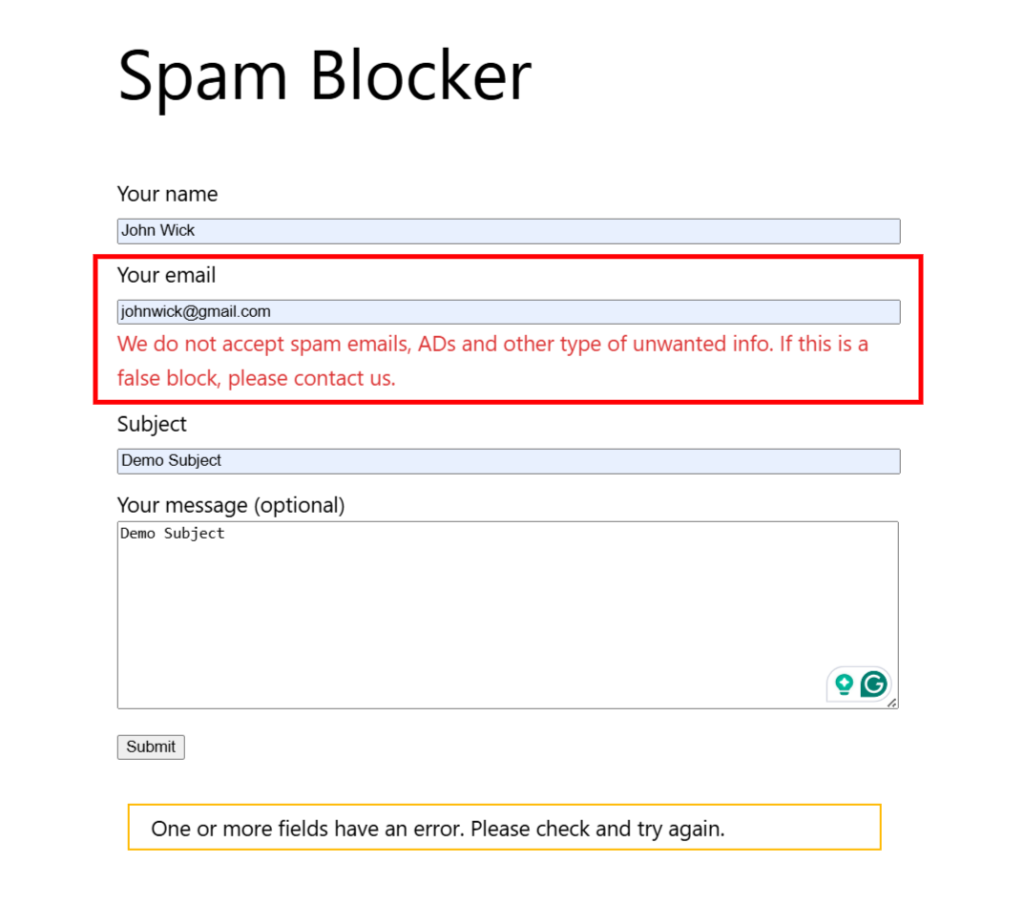
Block Message: Customize the message displayed when a submission is blocked.
Output